

W&B Report and Workspace API is in Public Preview.
Export a report
Export a report as a PDF or LaTeX file to share its contents outside of W&B or to archive a static version of your analysis. In your report, select the action () menu. Choose Download and select either PDF or LaTeX output format.Clone a report
Clone a report to reuse an existing project’s template and formatting as the basis for a new report. You can clone reports in the W&B App or programmatically with the Report and Workspace API.- W&B App
- Report and Workspace API
In your report: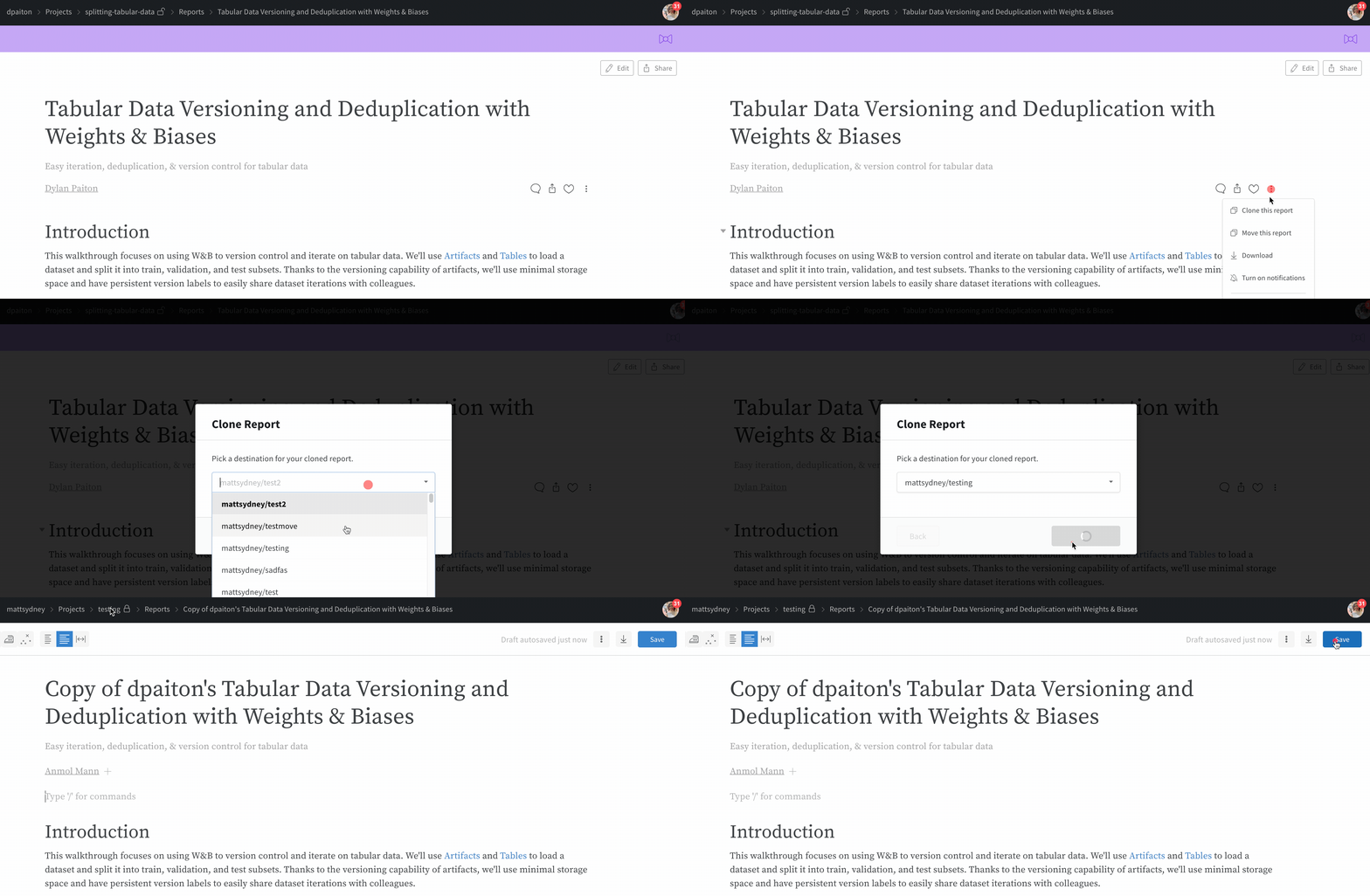
- Select the action () menu, then choose Make a copy.
- In the modal, select a destination for your cloned report.
- Choose Clone report. The destination dropdown defaults to the current project and lists projects across the teams you belong to. To copy the report into a different project or team, open the dropdown and select it.